
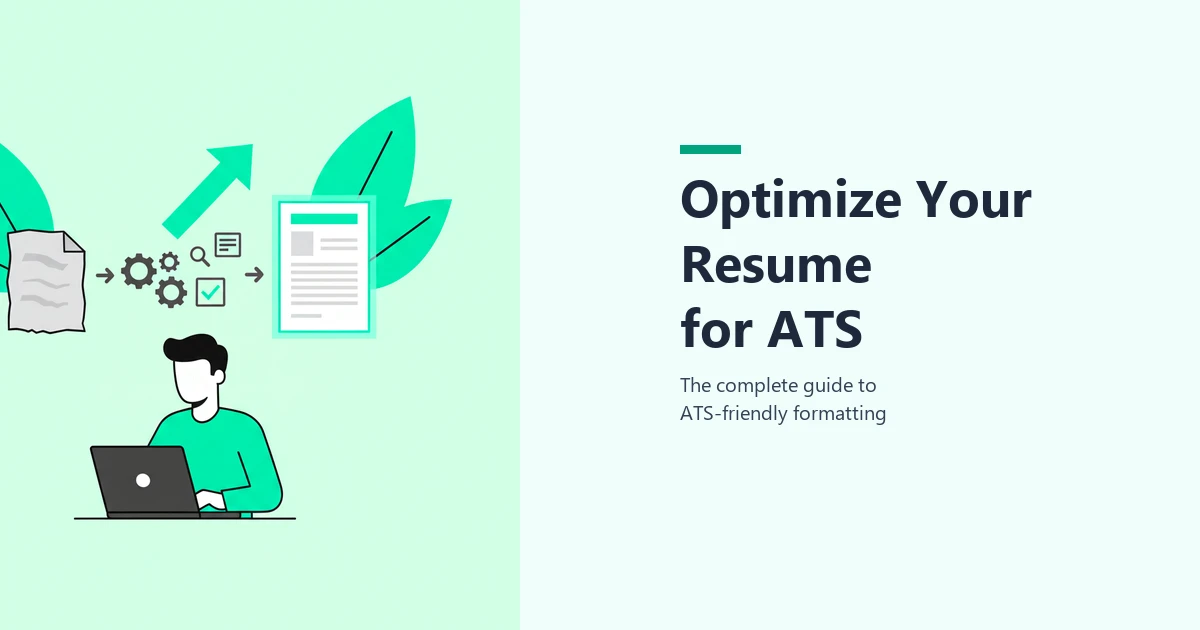
How to Optimize Your Resume for ATS: The Complete 2025 Guide
You have the right skills. The right experience. The right qualifications. But none of that matters if your resume never reaches a human being.
Over 75% of resumes are filtered out by Applicant Tracking Systems before a recruiter ever reads them. Not because the candidates are unqualified, but because their resumes are not formatted, structured, or written in a way the software can properly read and score.
ATS optimization is no longer a nice-to-have. It is a fundamental job search skill. This guide covers every aspect of making your resume ATS-friendly: formatting rules, keyword strategy, file types, fonts, structure, common mistakes, and the tools that can automate the entire process.
Key Takeaways
- ATS optimization means making your resume readable by software first, then appealing to humans. Over 90% of Fortune 500 companies and most mid-size businesses use ATS to screen applicants.
- Formatting is the #1 reason resumes fail ATS. Tables, columns, graphics, text boxes, and headers/footers all break parsing. A clean single-column layout passes every system.
- Keywords account for 40% of your ATS score. Mirror the exact language from the job description, including both acronyms and full terms.
- One resume is never enough. Each job description uses different language, so a generic resume rarely scores above 60%. Tailor for every application.
- Always test before submitting. Use an ATS checker like cvtailor.ai to verify your score is 80%+ before you apply.
What is ATS Resume Optimization?
ATS resume optimization is the process of structuring and writing your resume so Applicant Tracking Systems can accurately parse, categorize, and score it against a job description.
This is different from general resume writing. Traditional resume advice focuses on impressing a human reader with compelling language, clean design, and a polished layout. ATS optimization focuses on impressing software first. The key insight is that you need to do both, but the software reads your resume before any person does.
When you submit your resume through a company's career portal or a job board, the ATS does several things:
- Parses your document into structured data fields (name, contact info, work history, skills, education)
- Extracts keywords from your resume text
- Compares those keywords against the job description
- Generates a match score (typically 0 to 100) that determines whether your resume gets forwarded to a recruiter
If your score falls below the company's threshold (usually around 60-70%), your resume is automatically deprioritized or filtered out. No human makes that decision. The software does.
This is why optimization matters: you are not just writing for a person anymore. You are writing for a machine that decides whether a person ever gets to read your resume at all.
How ATS Scores Your Resume: 5 Factors
Understanding how the scoring works tells you exactly where to focus your optimization effort. ATS scoring breaks down into five weighted components totaling 100 points:
| Scoring Factor | Weight | What It Evaluates |
|---|---|---|
| Keyword Match | 40 points | How many of the job description's top keywords appear word-for-word in your resume |
| Skills Alignment | 20 points | Whether the specific skills listed in the JD are demonstrated in your resume (exact, partial, or no match) |
| Experience Relevance | 20 points | How closely your duties and achievements mirror the role's stated responsibilities |
| Overall Presentation | 10 points | Resume structure, grammar, conciseness, and readability |
| Qualifications Match | 10 points | Whether you meet stated requirements (education, certifications, years of experience) |
The takeaway: keywords and skills together account for 60% of your total score. This means keyword optimization is by far the highest-impact change you can make. But formatting and structure need to be right first, because a resume that cannot be parsed correctly will score zero across all five categories.
ATS-Friendly Formatting: The Foundation
Formatting is the #1 reason resumes fail ATS screening. Before you worry about keywords, skills, or content, your resume needs to be structurally readable by the software. If the ATS cannot parse your document correctly, nothing else you do matters.
Use a Single-Column Layout
ATS reads your resume as a single stream of text, top to bottom, left to right. When your resume uses a two-column layout, the ATS does not see separate columns. It reads straight across the page, merging text from both columns into a single garbled line.
For example, if your left column lists "Python" and your right column lists "MBA, Harvard" on the same line, the ATS might read that as "Python MBA Harvard" and categorize it as nonsense.
A single-column layout eliminates this problem entirely. Use standard margins (0.5 to 1 inch) and let the content flow naturally from top to bottom.
Avoid Tables, Graphics, and Text Boxes
These design elements look polished to the human eye but create serious parsing problems:
- Tables split your data into cells that ATS may read out of sequence, mixing dates with job titles or skills with company names
- Graphics, icons, and logos are completely invisible to text-based parsers. A star-rating for your skills? The ATS sees nothing.
- Text boxes are treated as separate floating objects and are often skipped entirely during parsing
- Dividers and decorative borders can confuse the system about where one section ends and another begins
The template trap: Many popular resume templates from Canva, Etsy, and creative design platforms use tables, columns, and graphics extensively. They look professional on screen, but they fail ATS parsing consistently. If you are using one of these templates, switch to a simple single-column format for online applications.
Keep Contact Info in the Main Body
This is one of the most common and costly mistakes. Many resume templates place your name, email address, and phone number in the document header. The layout looks clean, but most ATS software skips headers and footers entirely when parsing.
The result: your resume passes ATS screening, gets a decent score, and a recruiter wants to contact you, but your contact information is missing from the parsed data. They literally cannot reach you.
Put all contact information in regular body text at the top of the first page: full name, email, phone number, LinkedIn URL, and city/state.
Use Standard Section Headers
ATS software is programmed to recognize specific section labels to categorize your information correctly. When the system sees "Work Experience," it knows everything below is job history. When it sees "My Professional Journey," it might not know what to do with that section.
| Use These Headers | Avoid These Headers |
|---|---|
| Professional Summary / Summary | About Me / My Story |
| Work Experience / Experience | My Journey / Career Highlights |
| Education | Where I Studied / Academic Background |
| Skills | My Toolkit / What I Bring |
| Certifications | Credentials / Professional Development |
Stick with the conventional labels. Your content and achievements are where you differentiate yourself, not your section headings.
Keyword Optimization: The Biggest Lever
Keywords account for 40% of your ATS score, making them the single most impactful area to optimize. The ATS extracts the top keywords from the job description and checks whether each one appears in your resume. Here is how to get this right.
How to Find the Right Keywords
The job description is your keyword source. Read it line by line and highlight every specific term that describes a required skill, tool, certification, or qualification.
Pay particular attention to:
- Hard skills and technical tools: Python, Salesforce, SQL, Google Analytics, Adobe Creative Suite
- Certifications and credentials: PMP, CPA, AWS Certified, Six Sigma
- Job title keywords: the exact title used in the posting
- Industry-specific terminology: terms unique to the field that signal domain expertise
- Repeated terms: words that appear more than once in the JD are the highest priority
Ignore generic soft skills like "team player," "detail-oriented," or "self-starter." These carry little weight in ATS scoring because they are too common and vague to differentiate candidates.
How Many Keywords Do You Need?
Aim to include 15 to 20 of the top keywords from the job description in your resume. This is the range where most candidates reach the 80%+ score threshold needed to pass ATS screening.
However, quantity alone does not determine your score. Where and how you use keywords matters just as much as how many you include. A resume with 20 keywords crammed into a skills list will score lower than one with 15 keywords spread naturally across your summary, skills, and experience sections.
Keyword Placement Strategy
Distribute your keywords strategically across your resume for maximum impact:
- Professional summary (top 3 to 5 keywords): This is the first section the ATS parses. Include the exact job title and your most critical skills here.
- Skills section (8 to 12 keywords): List the exact terms from the job description. This is your keyword-dense section.
- Experience bullets (weave in remaining keywords): Use keywords in context with achievements and measurable results.
- Education and certifications: Include degree names, institution types, and any certifications mentioned in the JD.
One critical rule: always include both the acronym and the full term the first time you use it. Write "Search Engine Optimization (SEO)" rather than just "SEO." Some ATS search for the full term, others search for the acronym. Including both ensures you match regardless of which version the system looks for.
Keywords in Context vs. Keyword Lists
Modern ATS systems are increasingly sophisticated. They do not just count keywords; they evaluate whether keywords appear in meaningful context alongside results and achievements.
| Approach | Example | ATS Score Impact |
|---|---|---|
| Weak: keyword list only | "Data analysis, Python, SQL, Tableau, business intelligence" | Keywords detected, but no context. Low experience relevance score. |
| Strong: keyword in context | "Built automated data analysis pipelines in Python and SQL, creating Tableau dashboards that reduced reporting time by 40% across 3 business units" | Keywords detected with measurable results. High scores on both keyword match and experience relevance. |
You need both: a dedicated skills section for keyword density, plus context-rich experience bullets that demonstrate how you applied those skills. This approach maximizes your score across keyword match (40%), skills alignment (20%), and experience relevance (20%) simultaneously.
File Format: What to Save Your Resume As
The file format you choose determines whether the ATS can read your resume at all. Choose wrong and your resume is completely invisible to the system, no matter how well-optimized your content is.
| Format | ATS Compatibility | Notes |
|---|---|---|
| .docx | Excellent (universal) | The safest choice. Nearly every ATS on the market parses .docx accurately. |
| .pdf (text-based) | Good (most modern ATS) | Works if created by exporting from Word or Google Docs. Check submission guidelines. |
| .pdf (scanned) | None | Image-based PDFs are unreadable. The ATS sees a picture, not text. |
| .txt | Excellent | Always readable, but loses all formatting. Use only when specified. |
| .jpg / .png | None | Image files. Completely unreadable by ATS. |
| .pages | None | Apple-only format. Most ATS cannot process it. |
Quick test: Open your resume file and try to select and copy a word from it. If you can highlight individual words and paste them as text, the file is text-based and ATS-readable. If the entire page selects as one block (like an image), the ATS cannot read it.
When in doubt, submit .docx. It is the gold standard for ATS compatibility.
Fonts, Sizing, and Typography
Font choice rarely causes outright ATS rejection, but uncommon or decorative fonts can create parsing errors where characters are misread, swapped, or dropped entirely. The fix is simple: use standard fonts that every system handles correctly.
Safe font choices:
- Sans-serif: Arial, Calibri, Helvetica, Verdana
- Serif: Times New Roman, Garamond, Georgia
Sizing guidelines:
- Body text: 10 to 12pt (11pt is the sweet spot for readability)
- Section headers: 14 to 16pt
- Your name: 16 to 20pt
Formatting notes:
- Bold is safe and useful for section headers, job titles, and key terms
- Italics are safe for dates, company names, or minor emphasis
- Underlining should be avoided. Some ATS parsers interpret underlined text as hyperlinks, which can cause processing errors
- ALL CAPS is fine for section headers but avoid using it in body text, as some older ATS may have trouble parsing it
Resume Length and Structure Best Practices
ATS does not penalize you for resume length, but human recruiters do. The optimal length depends on your experience level:
- Less than 10 years of experience: 1 page is ideal
- 10 or more years of experience: 2 pages is acceptable
- Senior executives and academics: 2 to 3 pages when justified by scope of experience
Structural best practices that help both ATS parsing and human readability:
- Reverse chronological order: list your most recent experience first. This is the format ATS expects and recruiters prefer.
- Bullet points over paragraphs: for experience sections, use 3 to 5 concise bullet points per role. Paragraphs are harder for both ATS and humans to parse quickly.
- Start bullets with action verbs: Led, Developed, Implemented, Managed, Increased, Reduced, Built, Designed. These signal accomplishment and are the language ATS associates with relevant experience.
- Include quantified results: "Increased revenue by 28%" scores higher than "Responsible for revenue growth." Numbers signal impact and give the ATS concrete evidence of relevance.
- Remove filler: Cut generic phrases like "responsible for," "duties included," and "assisted with." They add word count without adding keywords or value.
Tailoring: Why One Resume is Never Enough
This is the optimization step that makes the biggest difference and the one most job seekers skip.
A generic resume that is not tailored to a specific job description will almost never score above 60% on any ATS. Why? Because every job posting uses different language, even for similar roles. A "Digital Marketing Manager" posting emphasizes different keywords than a "Growth Marketing Lead" posting, even though the day-to-day work might overlap significantly.
What to tailor for each application:
- Your professional summary: swap in the exact job title and top 3 to 5 keywords from the posting
- Your skills section: reorder skills to match the JD's priority order, and add any listed skills you genuinely have but left off your template resume
- Your experience bullets: adjust language to mirror the posting's terminology and emphasize the achievements most relevant to this specific role
Done manually, proper tailoring takes 30 to 60 minutes per application. For job seekers applying to 10 to 20 positions per week, this adds up to a full-time job in itself.
This is exactly the problem cvtailor.ai solves. Upload your resume, paste the job description, and get a tailored version in seconds. The tool matches your experience to the job's keywords and adjusts your phrasing automatically, saving hours while improving your ATS score for every application.
Common ATS Optimization Mistakes
Even well-qualified candidates make these errors. Avoiding them puts you ahead of the majority of applicants.
- Using creative templates with columns and icons. Templates from Canva, Etsy, and design platforms look impressive but fail ATS parsing consistently. Use a clean single-column format for online applications.
- Submitting the same resume for every job. A generic resume cannot match the specific keywords each JD prioritizes. Tailoring is not optional; it is the difference between a 55% score and an 85% score.
- Keyword stuffing with hidden white text. Some candidates paste keywords in white-colored text to game the system. Modern ATS detects this and flags resumes that do it. Recruiters who discover it will immediately reject you.
- Using only acronyms. If you write "SEO" but the ATS searches for "Search Engine Optimization," you miss the match. Always include both forms.
- Putting contact info in headers or footers. Most ATS skips these areas entirely. Your email and phone number need to be in the main body text.
- Submitting scanned or image-based PDFs. If your resume was scanned from paper, the ATS sees an image file, not text. Export from Word or Google Docs instead.
- Using non-standard section headers. "My Professional Journey" or "What I Bring to the Table" may confuse ATS categorization. Use "Work Experience," "Skills," and "Education."
The Complete ATS Optimization Checklist
Use this checklist before every application. Each item addresses a specific ATS scoring factor.
| Category | Optimization Check | Impact Area |
|---|---|---|
| Layout | Single-column, no tables, no text boxes | Parsing accuracy |
| Graphics | No images, icons, logos, or decorative elements | Parsing accuracy |
| Headers | Standard section names (Experience, Education, Skills) | Categorization |
| Contact info | In main body text, not in header/footer | Recruiter contact |
| File format | .docx or text-based PDF | Parsing accuracy |
| Fonts | Standard font (Arial, Calibri, etc.), 10-12pt body | Presentation (10%) |
| Keywords | 15-20 top keywords from JD included | Keyword Match (40%) |
| Keyword context | Keywords used within achievement statements | Experience Relevance (20%) |
| Acronyms | Both full term and acronym included | Keyword Match (40%) |
| Skills section | Matches JD skills exactly | Skills Alignment (20%) |
| Summary | Includes exact job title and top 3-5 keywords | Keyword Match (40%) |
| Action verbs | Bullets start with Led, Built, Managed, etc. | Experience Relevance (20%) |
| Quantified results | Metrics and numbers in achievement bullets | Experience Relevance (20%) |
| Tailored | Resume customized for this specific job description | All factors |
| Score check | ATS match score verified at 80%+ | All factors |
Optimize Your Resume Automatically with cvtailor.ai
Every optimization step in this guide matters. But doing it all manually for every application is time-consuming, and it is easy to miss keywords or formatting issues when you are reviewing your own work.
cvtailor.ai automates the entire process:
- Upload your resume and paste the job description you are targeting
- Get your ATS match score instantly with a breakdown of exactly which keywords you are missing and where your resume falls short
- Tailor your resume in one click. The tool adjusts your phrasing, adds missing keywords in context, and aligns your experience with the job description's language
- Re-check your new score to confirm you are above 80% before submitting
No more guessing whether your resume will pass. No more spending 45 minutes tailoring each application by hand. Upload, tailor, verify, apply.
Get Your ATS Score in Seconds
Upload your resume and paste any job description to see your match score instantly. cvtailor.ai shows you exactly what to fix and tailors your resume in one click. Stop losing interviews to ATS filters.
Frequently Asked Questions
How do I make my resume ATS optimized?
Use a clean single-column layout without tables, graphics, or text boxes. Include 15 to 20 exact keywords from the job description. Use standard section headers (Work Experience, Education, Skills). Save as .docx or text-based PDF. Tailor your resume for each application and verify your ATS score is 80% or higher before submitting.
What makes a resume ATS friendly?
An ATS-friendly resume uses simple formatting that the software can parse correctly: single-column layout, standard fonts (Arial, Calibri), conventional section headers, and no graphics, tables, or text boxes. The content should mirror the keywords and skills from the target job description.
What file format is best for ATS?
.docx (Microsoft Word) is the safest and most universally compatible format for ATS. Most modern systems also handle text-based PDFs well. Avoid scanned PDFs (image-based), .jpg, .png, and .pages files, as these are unreadable by ATS software.
How many keywords should be in an ATS resume?
Aim for 15 to 20 of the top keywords from the job description. Focus on hard skills, tools, certifications, and the exact job title. Distribute keywords across your professional summary, skills section, and experience bullets. Quality of placement matters as much as quantity.
Does font matter for ATS?
Standard fonts like Arial, Calibri, Times New Roman, and Helvetica are universally safe. Decorative or uncommon fonts can cause parsing errors where characters are misread or dropped. Stick to 10-12pt for body text and 14-16pt for headers. Avoid underlining, as ATS may misinterpret it as hyperlinks.
Can ATS read PDFs?
Most modern ATS can read text-based PDFs (those created by exporting from Word or Google Docs). However, scanned PDFs (created by scanning a paper document) are image files and are completely unreadable by ATS. Quick test: if you can select and copy text from the PDF, ATS can read it. If not, export a new version from your word processor.
Related Articles
How to Pass ATS Screening: 11 Proven Steps to Beat Applicant Tracking Systems
Learn how to pass ATS screening with 11 proven steps. Discover what ATS looks for, why 75% of resumes get rejected, and how to beat applicant tracking systems.
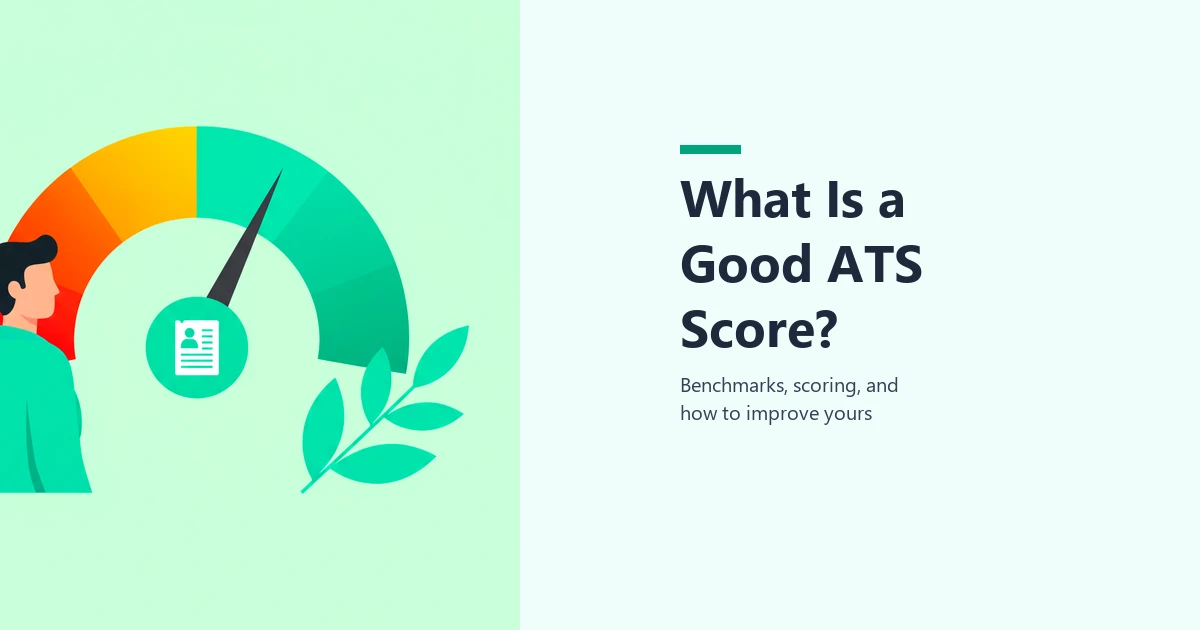
What is a Good ATS Score? Benchmarks, Scoring Explained & How to Improve
What is a good ATS score? Learn the benchmarks (0-100), how ATS scoring works, and proven strategies to boost your resume score above 80% and land more interviews.

How to Tailor Your Resume to a Job Description (Step-by-Step Guide)
Learn how to tailor your resume to a job description in 7 simple steps. Match keywords, beat ATS screening, and land more interviews with this proven method.